语法:
1. 指定position样式
position属性可以取以下值:
- static, 默认值, 表示遵循流式布局流, 不采用位置布局
- 此时, left, right, top, bottom, z-index样式都不会生效
- relative, 相对于自己在默认布局流的位置进行偏移
- 即相对于static值得自己进行偏移
- 常常作为absolute布局元素的父元素出现
- 元素依然保持在文档流中,相对于自身在文档流中的初始位置进行定位。
- absolute, 相对于父元素进行偏移
- 取最近的, 且采用位置布局(即position属性的值不是static)的父元素
- 如果父元素都没有采用位置布局, 则相对于body标签
- 元素脱离文档流,相对于已定位的祖先元素进行定位。
- fixed, 相对于浏览器视图进行偏移
- 即不滚滚动条怎么滚动, 依然固定在浏览器视图中的指定位置
- sticky:[child::sticky]
2. 指定位置属性
- left, right, top, bottom样式或[use::逻辑属性]
- 相对于指定边框偏移指定距离
- relative的原点分别是原来的四条边框
- absolute的原点分别是父元素(position不为static的父元素)的四条边框
- fixed, 相对于浏览器视图的四条边框
- left和right互斥
- 即只有一个偏移生效
- top和bottom互斥
- 相对于指定边框偏移指定距离
- z-index样式
- 更改图层优先级, 数值高的覆盖数值低的
实例
playground
JS Bin - Collaborative JavaScript Debugging
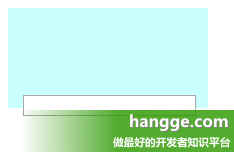
1. relative布局
<style>
  div {
    width: 200px;
    height: 100px;
    background-color: #C9FFFF;
  }

  input {
    position: relative;
    left: 15px;
    top: -15px;
  }
</style>

<div></div>
<input type="text" />
效果图:
2. absolute布局
<!DOCTYPE html>
<html>
<head>
  <meta charset="utf-8">
  <meta name="viewport" content="width=device-width">
  <title>JS Bin</title>
</head>
<body>
  <div></div>
</body>
</html>
div {
background-color:yellow;
width:100px;
height:100px;
}
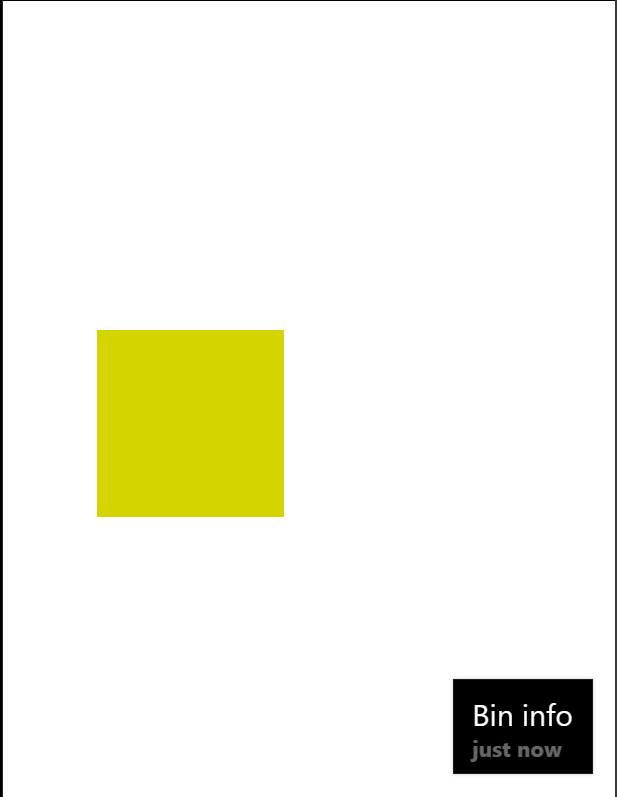
div {
position:absolute;
left: 50px;
bottom: 150px;
}效果图